
















 Table of contents
SpinBetter is a popular international bookmaker and online casino. The company was founded in 2019 and is owned by Sprut Group B.V., registered in Curacao. The website has been translated into 62 languages and is available in almost every country in the world. Spinbetter casino offers the opportunity to bet on a huge number of sporting events at the most favorable odds, more than 14,000 online slots, card games, games with live dealers, roulette, craps, poker, baccarat, etc.
Basic Information
Spinbetter is the right choice for sports and casino gambling. Check the main information of the company to be aware of its year of foundation, number of games, license and other details:
|
Year of foundation |
2019 |
|
License |
Curacao |
|
Welcome Bonus |
Welcome package up to 1800 USD + 150 FS for casino; Up to 500 USD for sports |
|
Mobile App |
Android, iOS (PWA version) |
|
Currency accepted |
USD, EUR, etc |
|
Payment Options |
UPI, PayTM, Cryptocurrency |
|
Number of games |
14,000+ |
|
Providers |
BGaming, Amaitc, KaGaming, Play’n GO, Mancala Gaming, NetEnt, Aviatix, Belatra, etc |
|
Support Service |
Live chat, email |
Spinbetter Welcome Bonuses
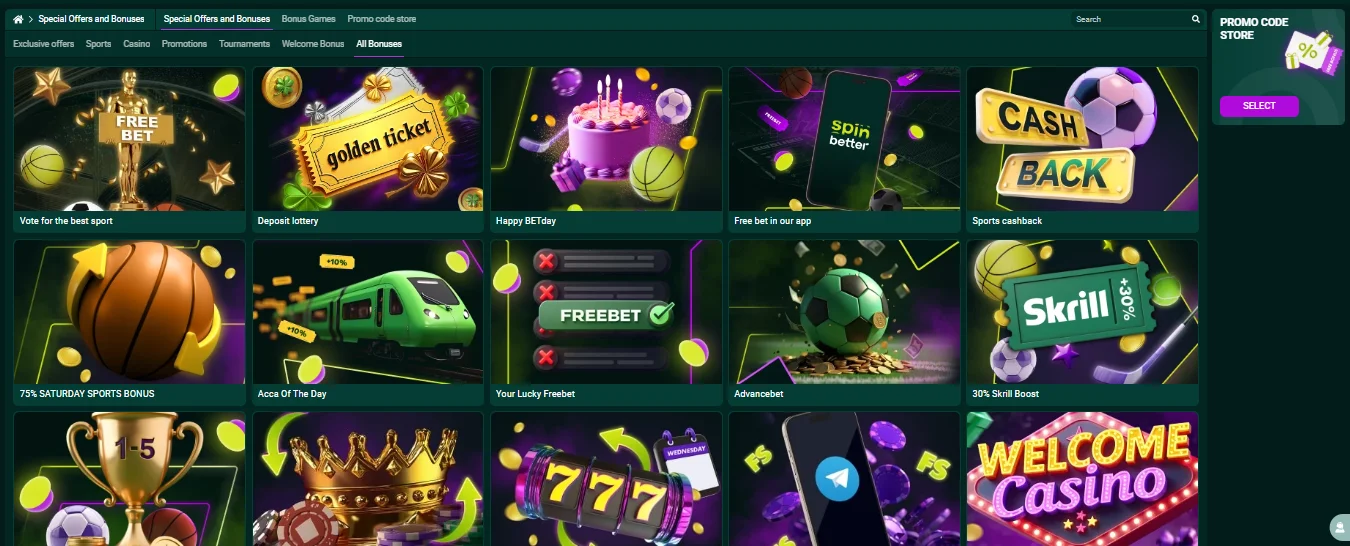
There are two registration bonuses to choose from on the platform. Upon registration, each new user can take advantage of an excellent offer that is available for sports betting and all types of casino games. Choose one of the following bonuses when registering:
- Welcome Casino Bonus - package up to 1800 USD + 150 FS;
- Welcome Sports Bonus - up to 500 USD.
You can activate the welcome bonus in your personal profile by making your first deposit for the specified amount.
Activate the promo code and get your SpinBetter rewards!
 SPINWELCOME
Casino Bonus
If you want to play casino games, start right now on our platform and receive a casino welcome bonus. To receive it, create an account, enter all your personal information, and activate your phone number. The minimum deposit amount is at least 13 USD. The deposit amount required to receive the bonus is:
|
№ of the deposit |
Bonuses and free spins |
Maximum bonus |
|
1st deposit |
100% +30 FS |
330 USD |
|
2nd deposit |
50% + 35 FS |
380 USD |
|
3th deposit |
25% +40 FS |
430 USD |
|
4th deposit |
25%+ 45 FS |
480 USD |
Bonus on Sports
Any user can receive a welcome bonus if they wish to place bets on sports. To help you receive it, we have compiled step-by-step instructions on how to do so:
- Register an account on our website or log in to an existing account.
- When registering, select the sports bonus in the top horizontal panel.
- Next, log in to your profile and go to the Promo section.
- Select the sports bonus and activate it.
- Top up your balance with an amount that meets the bonus conditions.
- Place bets on sporting events, complying with the wagering requirements.
Spinbetter Registration
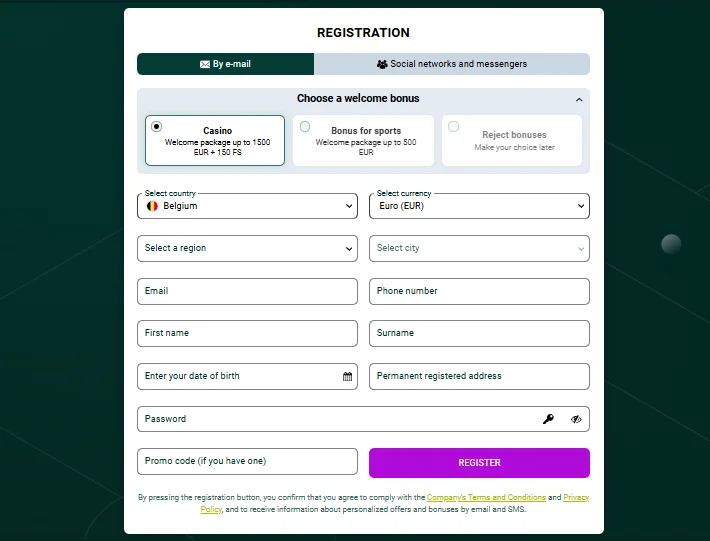
You can create an account and use it at any time, placing bets and making transactions, including withdrawing winnings and bonus offers. Follow the instructions below to complete the registration process using one of the following methods:
- Open the main menu using buttons on this website, and register via email or through social media and instant messaging apps.
- Choose a casino bonus, sports betting bonus, or decline bonuses.
- Select your country of residence and a convenient currency for your account.
- Select your region and city. Enter your email address and phone number. Enter your first name, last name, date of birth, and registered address.
- Create a secure password, enter a promo code if necessary, and click Register.
Spinbetter Log In
Spinbetter login is the quick way to get access to the personal account. Below we explain how to log in to your account on our website and continue playing.
- Click the “Log in” button at the top of the page.
- Enter the email address or ID
- Enter your account password.
- If necessary, confirm your login with a code from an SMS or email.
- Click the “Login” button to access your personal account.
Payments at Spinbetter
Once you have registered an account on Spinbetter, you can conveniently and securely deposit funds and withdraw winnings using popular payment systems. We support several payment methods with different limits and conditions so that everyone can choose the most suitable option.
Make a Deposit
To start playing for real money and making deposits, you can top up your account through your authorized account. Below, we explain step by step how to make a deposit in your personal account.
- Click on your profile icon and select “Deposit”.
- Select the appropriate payment method and specify the deposit amount.
- Depending on the method you have selected, fill in the necessary payment or personal details.
- Click on the “Confirm” button and wait for the funds to be credited to your balance.
Make a Withdrawal
To withdraw funds on our Spinbetter website, users must verify their account. This is a mandatory security requirement that confirms the identity of the account holder.
- Log in to your account and click on the profile icon.
- Select the “Withdraw funds” section.
- Make sure your account has been verified.
- Select a convenient withdrawal method.
- Specify the withdrawal amount, taking into account the set limits.
- Enter the necessary payment details depending on the selected method.
- Click the “Confirm” button and wait for the request to be processed.
Play Spinbetter Games
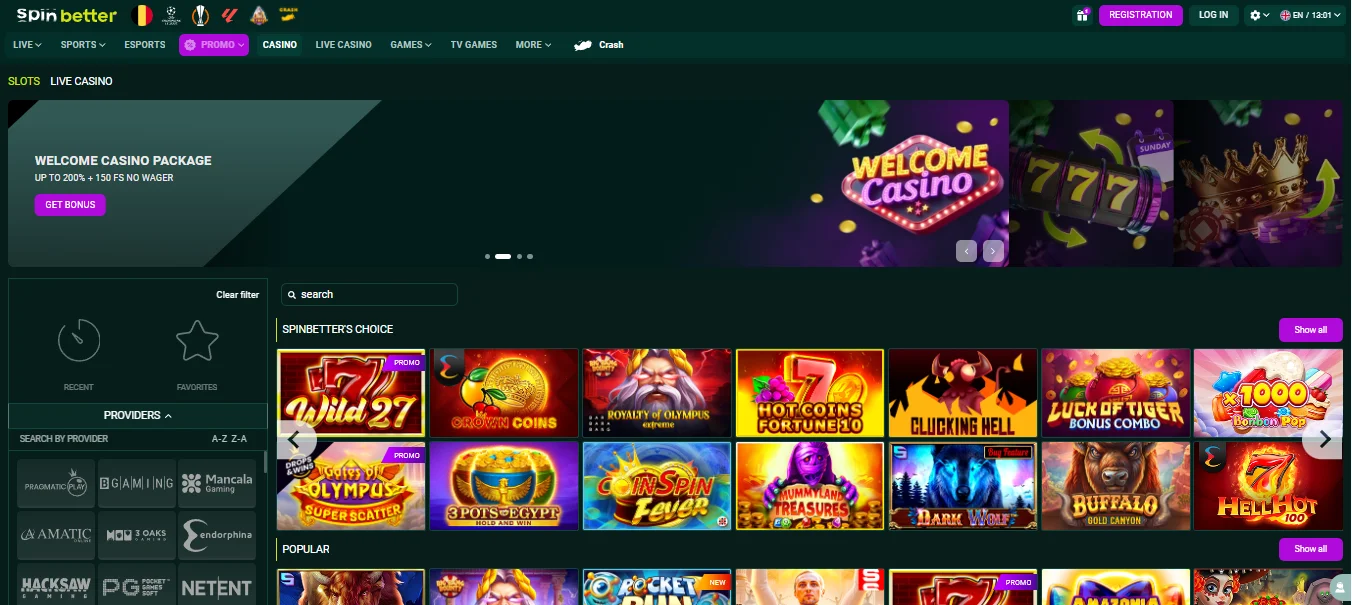
There are more than 14,000+ games from well known providers on Spinbetter platform. There are 11 game formats to suit your style and skill level. Choose classic slot machines, play fast games like Aviator or play modern casino games with live dealers. The platform combines popular slots, live games with dealers, fast instant games, and TV formats, providing a diverse and convenient gaming experience.
The following game categories are available at the casino:
- Slots (games with different themes, mechanics, and bonus features);
- Live Casino (games with live dealers in real time);
- Bingo (classic and modern versions of bingo);
- TV games (dynamic games in the format of television shows);
- Scratch cards (instant scratch games);
- Crash games (fast games with increasing odds);
- Keno (a number lottery game);
- Hunting and fishing (arcade games with elements of hunting and fishing);
- Card games (card games in different variations).
Spinbetter Aviator
This is a popular crash game at Spinbetter, in which the outcome depends on choosing the right moment to cash out your bet. After the round starts, the odds gradually increase, and the player's task is to collect their winnings before the plane flies away. The game has simple rules, a fast pace, and is suitable for both beginners and experienced players.
Slots
The Slots section at casino Spinbetter includes a large number of slot machines with a variety of themes and mechanics. Register and choose different types of classic slots, modern video slots, machines with bonus rounds, free spins, and jackpots. Thanks to cooperation with leading providers, players can choose slots with different levels of volatility and RTP.
Live casino
Live casino at spinbetter.com offers many opportunities if you are looking for playing games in real time with professional dealers. Every registered player can play and choose such sections like roulette, blackjack, baccarat, and other popular games. The live casino format creates the atmosphere of a real gaming hall and allows you to communicate with the dealer and other players via chat.
Spinbetter App
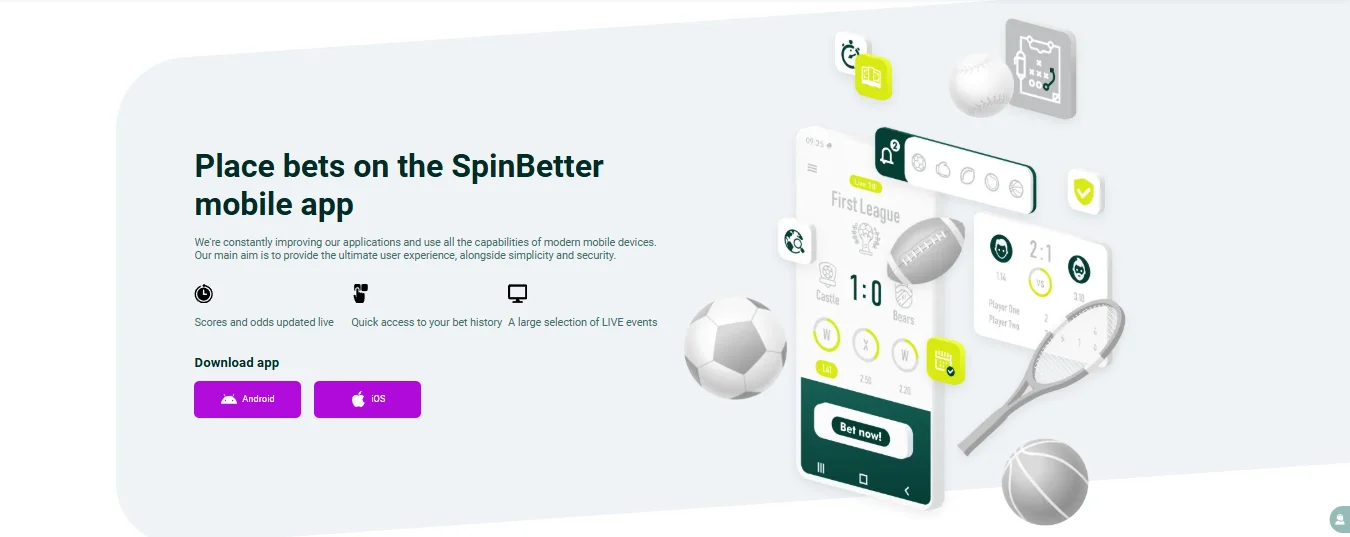
Sports and casino betting can be even faster with our full-featured Spinbetter casino app. You can also skip the installation of a separate APK file and use the web version, which is identical; all platform functions are accessible through a smartphone browser. For convenience, we offer a PWA app for iOS users, which works like a regular app and is added directly to the device's home screen. Below are the steps for installing the app and adding a shortcut to your mobile device's home screen without installation.
Android
We offer a separate Spinbetter app available for Android devices, which can be installed via an APK file.
- Open the main menu via any browser installed on your phone. Scroll to the bottom of the page to the Apps tab.
- Select Android and start the process of downloading the Spinbetter apk file to your device.
- Allow the installation of apps from unknown sources in your smartphone settings.
- Run the Spinbetter download apk file and complete the installation.
- Open the app, create an account or enter into your profile.
For iOS
There is no separate Spinbetter app for iOS, but users can install a convenient PWA app via the Safari browser:
- Open our site in the Safari browser.
- Tap the “Share” button.
- Select “Add to Home Screen”.
- Confirm the addition of the shortcut.
The Spinbetter icon will appear on your home screen and will work like an app. The PWA version provides quick access to the website, stable performance, and ease of use without the need to download the app from app stores.
Support Service
The Spinbetter Support Service is always ready to help you with any questions related to your account, payments, or technical issues. You can contact the support team through several convenient channels to get fast and professional assistance. Available contact methods:
- Security department: security@spinbetter.com
- Technical support: support-in@spinbetter.com
- Financial issues: processing-in@spinbetter.com
- Blocked accounts: block@spinbetter.com
- Queries and suggestions: complaints@spinbetter.com
- X (Twitter): @Spin_Better_Win
- Facebook: spinbetter
- Telegram: spinbetter_eng_official
- Instagram: spinbetter_eng_official
FAQ
What is the minimum deposit on Spinbetter casino online?
The minimum deposit on Spinbetter is 13 USD, which allows you to start playing and placing bets with a small budget, while still having access to all the main features of the platform.
How can I use Spinbetter promo code?
You can use a Spinbetter promo code by entering it during deposit. The bonus will be applied once the code is accepted.
Is the Aviator game available on Spinbetter casino?
Yes, the Aviator game is available on Spinbetter. You can play it at any time, placing bets and trying to collect your winnings.
Are games available in demo mode?
Spinbetter offers many slots in demo mode, where you can play for free without registration and risk. Read the Spinbetter review below to get more explanations on how you can start playing games in demo mode.
Is verification required at Spinbetter?
Verification is required in order to withdraw money from your gaming account. First complete Spinbetter sign up and then fill out your profile, confirm your email and phone number.